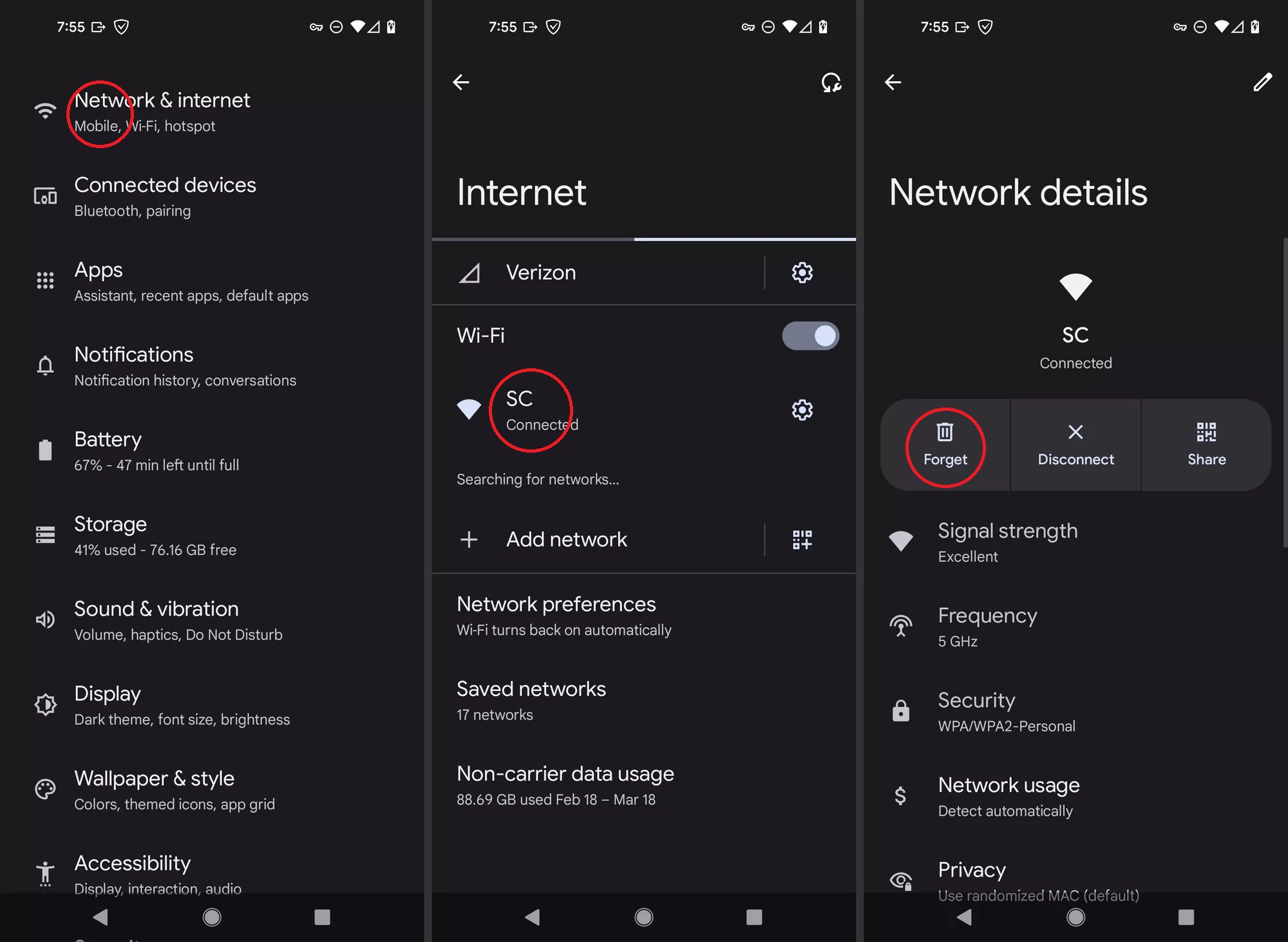
How to forget a wireless network (Android)
If you don’t want your Android device to automatically rejoin a network, you can make it forget that network.
Your Android device remembers each Wi-Fi network that you joined on that device, and it automatically joins that network again whenever it’s in range. If you don’t want it to rejoin the network, follow these steps to make your device forget that network.
Depending on your device and Android version, instructions may vary.
Forget a network on your Android device
- Open Settings
- Choose Network & internet
- Tap on the Wi-Fi icon
- Tap the Wifi network you want to forget
- Select Forget