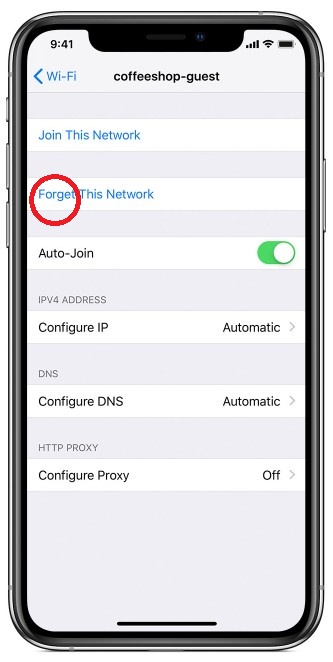
How to forget a wireless network (iOS)
If you don’t want your Apple device to automatically rejoin a network, you can make it forget that network.
Your Apple device remembers each Wi-Fi network that you joined on that device, and it automatically joins that network again whenever it’s in range. If you don’t want it to rejoin the network, follow these steps to make your device forget that network.
Forget a network on your iPhone or iPad
- Go to Settings > Wi-Fi
- Tag (i) next to the Wi-Fi network that you want your device to forget
- Tap Forget This Network, then tap Forget to confirm